

UGREEN 70504 Dual M.2 NVMe/SATA to PCIe 3.0 X4 Expansion Card

✓ In Stock
- Dual M.2 slots support both NVMe and SATA SSDs simultaneously with independent operation
- 32Gbps NVMe speed (PCIe 3.0 X4) and 6Gbps SATA speed for high-performance storage expansion
- Supports 4 SSD sizes (2230, 2242, 2260, 2280) and backward compatible with 22110
- Works in PCIe X4, X8, or X16 slots on desktop motherboards for flexible installation options
- Gold-plated connectors with multi-layer PCBA protection and optimized cooling for stable long-term use
- No drivers required for Windows, Linux, or macOS—tool-free installation with included screwdriver
- 12 Months Warranty
Rs.4,361.70
✓ In Stock
 Discount prices will be auto applied at checkout
 Rs.4,100.00
 Rs.4,100.00


 Rs.4,230.85
 Rs.4,230.85
UGREEN 70504 Dual M.2 NVMe/SATA to PCIe 3.0 X4 Expansion Card
The UGREEN CM302 Model 70504 is a professional-grade dual-slot M.2 NVMe/SATA to PCIe 3.0 X4 express card engineered for desktop users, gamers, and content creators seeking high-speed storage expansion. With two independent M.2 slots, it supports both NVMe and SATA SSDs simultaneously—operate an M-Key NVMe drive and a B-Key SATA drive at the same time with no performance loss.
Delivering blazing-fast 32Gbps speeds for NVMe drives (PCIe 3.0 X4) and up to 6Gbps for SATA drives, the 70504 enables 1GB file transfers in approximately 7 seconds, making it ideal for professionals handling large video files, software developers, and data-intensive applications. It supports all popular M.2 SSD sizes—2230, 2242, 2260, 2280—plus backward compatibility with 2210 drives. The card works with PCIe X4, X8, or X16 slots on modern motherboards for flexible placement.
Built with gold-plated connectors (0.5mm gold thickness) providing anti-oxidation and stable operation, it includes multi-layer PCBA protection, optimized power supply management, and passive cooling design for long-term reliability. Installation is tool-free except for the included screwdriver—simply insert into a PCIe slot, secure the baffle with the provided screws, connect the SATA cable if needed, and enable PCIe in BIOS. No drivers required for Windows, Linux, or macOS.
Related products
-
COMPUTER ACCESSORIES, HUBS AND ADAPTERS
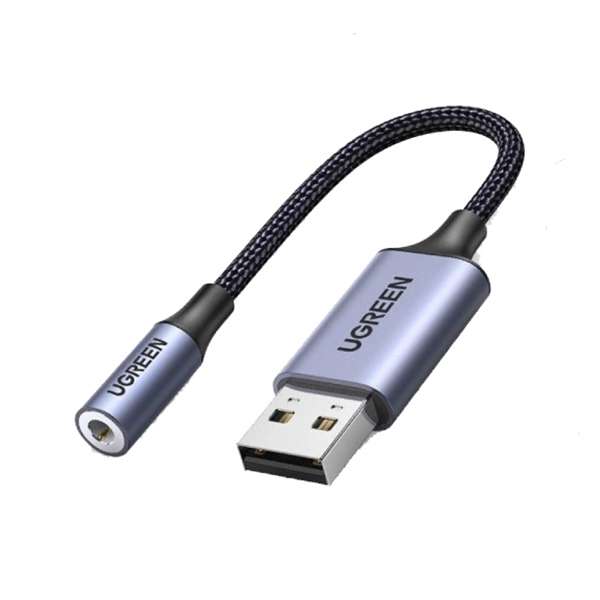
UGREEN 30757 USB 2.0 to 3.5mm Audio Adapter
- Length 25cm
- Input Connector: USB 2.0 Male; – Output Connector: 3.5mm TRRS Female;
- Material:Aluminum Shell+Nylon Braided Wire;
- Output Power:7mW;
- Electric Resistance: Support earphones below 50 Ohm
- 6 Months Warranty
SKU: n/a✓ In Stock
Rs.4,275.00Pay in 3 Installments of Rs.1,515.96 withor